Author
Prem Chandran
What Will Copilot Find in Your Microsoft 365 Environment?
Microsoft 365 Copilot can help organizations unlock productivity, accelerate decision-making, and surface knowledge across the digital workplace. But AI is only as effective as the environment behind it. Before expanding Copilot adoption, organizations need to understand what information is accessible, whether that information remains relevant and trustworthy, and how existing governance practices may influence AI-generated outcomes.
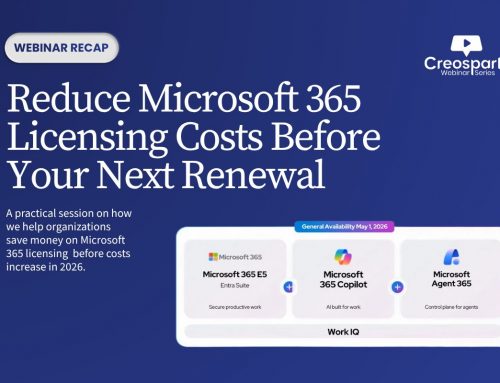
Our webinar, “What Will Copilot Find in Your Microsoft 365 Environment?”, explored the hidden readiness gaps that can impact security, trust, and adoption. From oversharing and outdated content to unclear ownership and governance challenges, the session highlighted practical steps organizations can take to create a stronger foundation for successful Copilot deployment.
The Hidden Readiness Gap
One of the key themes from the session was the concept of the Hidden Readiness Gap.
Many organizations assume implementing Copilot is primarily about licensing and deployment. In reality, Copilot inherits the environment exactly as it exists today, including permissions, content quality, ownership gaps, and governance challenges.
If your environment is well-governed, Copilot can deliver relevant, trustworthy insights. If it isn’t, AI can make existing problems easier to discover.
This is why readiness should not be viewed as a delay to deployment.
Readiness is the first phase of rollout.
Why Governance Matters More Than Ever
Effective AI adoption starts with understanding your data. As Microsoft 365 environments grow, so does the complexity of managing content, permissions, ownership, and compliance requirements.
Tools like SharePoint Advanced Management can help identify oversharing risks, stale content, inactive sites, and other governance challenges that impact Copilot readiness. Microsoft Purview can also support information protection, retention, compliance, and data lifecycle management.
The Three Gaps Copilot Exposes
Permissions and Oversharing
Copilot respects existing permissions, but that doesn’t mean every permission structure is appropriate.
Common issues include:
- Organization-wide access grants
- Broken permission inheritance
- Outdated sharing links
- Unreviewed guest access
These conditions often remain unnoticed until AI makes information significantly easier to discover.
Data Sprawl and Legacy Content
More content does not automatically produce better answers.
When duplicate documents, obsolete content, and conflicting sources accumulate over time, they can negatively impact answer quality and user confidence.
Ownership and Lifecycle
Perhaps the most important challenge is accountability.
Without clear ownership, review processes, and lifecycle management, content quality naturally degrades over time. Unowned sites and documents create uncertainty around what information should be trusted.
What Copilot May Reveal
AI-powered discovery can bring conditions to the surface that have existed for years but remained largely invisible.
Examples include:
- Overshared information
- Outdated guidance presented as current
- Conflicting sources of truth
- Content with no accountable owner
The challenge isn’t that Copilot creates these problems.
The challenge is that Copilot makes them easier to find
Building Trust Through Governance
A key takeaway from the webinar was a simple formula:
Trust = Correct Access + Current Content + Clear Ownership
When any of these components are missing, confidence in AI-generated responses decreases.
Successful Copilot adoption depends not only on enabling the technology, but also on establishing the governance foundation that supports long-term trust.
Using Microsoft-Native Tools for Readiness
Organizations can address readiness challenges using capabilities already available within Microsoft 365.
SharePoint Advanced Management (SAM)
SAM helps organizations:
- Identify oversharing and broad access patterns
- Discover inactive sites
- Review ownership gaps
- Monitor site lifecycle trends
These insights provide visibility into the environment Copilot will inherit.
Microsoft Purview
Purview supports:
- Data classification
- Information protection
- Data loss prevention
- Retention and disposition policies
These capabilities help organizations create durable governance and improve content trustworthiness.
A Practical 30-60-90 Day Readiness Plan
First 30 Days: Assess
- Run access and inactivity reports
- Identify priority content areas
- Confirm ownership
By 60 Days: Remediate
- Address high-risk permissions
- Apply governance controls
- Archive or retire unnecessary content
By 90 Days: Pilot and Sustain
- Validate with a focused user group
- Establish recurring reviews
- Build ongoing governance practices