Author
Prem Chandran
Microsoft’s New Sharing Experience in OneDrive & SharePoint: Simpler, Smarter, and More Secure
Sharing files is one of the most common actions in Microsoft 365. Whether you're collaborating on a proposal, working with external partners, or distributing critical business documents, the ability to share content quickly and securely is essential.
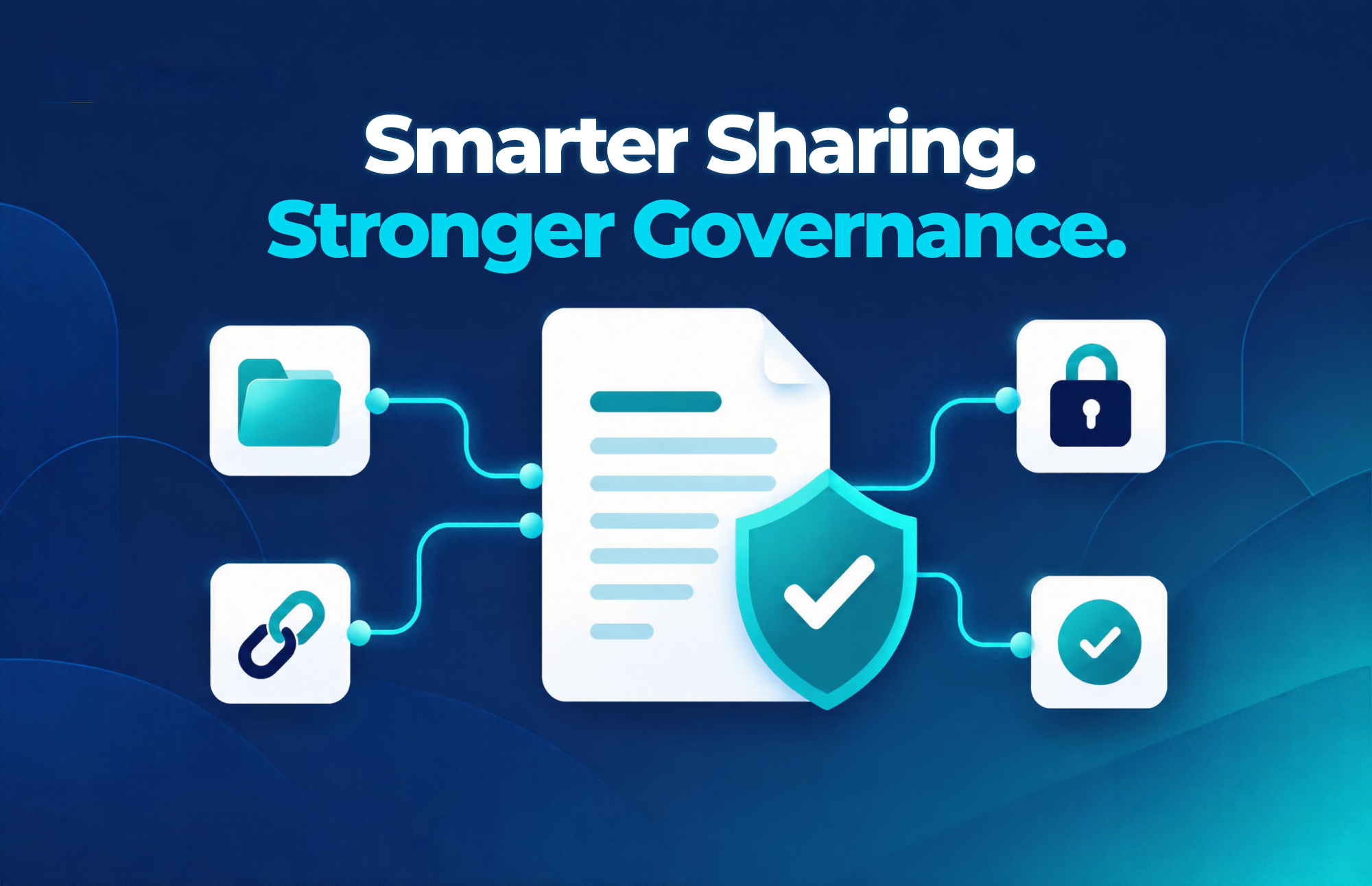
Microsoft is introducing a redesigned sharing experience for OneDrive and SharePoint, built around a new concept called Hero Links. The update delivers a cleaner interface, clearer permissions visibility, and simpler access management, helping users share content with greater confidence while helping organizations strengthen governance and security. According to Microsoft, the new experience is designed to make sharing more intuitive, safer, and easier to manage across Microsoft 365 environments.
Quick Answer: What Is Changing?
The goal is simple: make sharing easier for end users while reducing the risk of oversharing and permission sprawl.
What Are Hero Links?
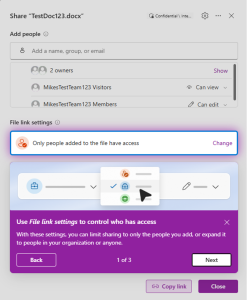
Hero Links are a new approach to file sharing in OneDrive and SharePoint. Rather than creating multiple separate links with different permission sets, the new model focuses on a reusable sharing link experience that provides greater clarity and consistency.
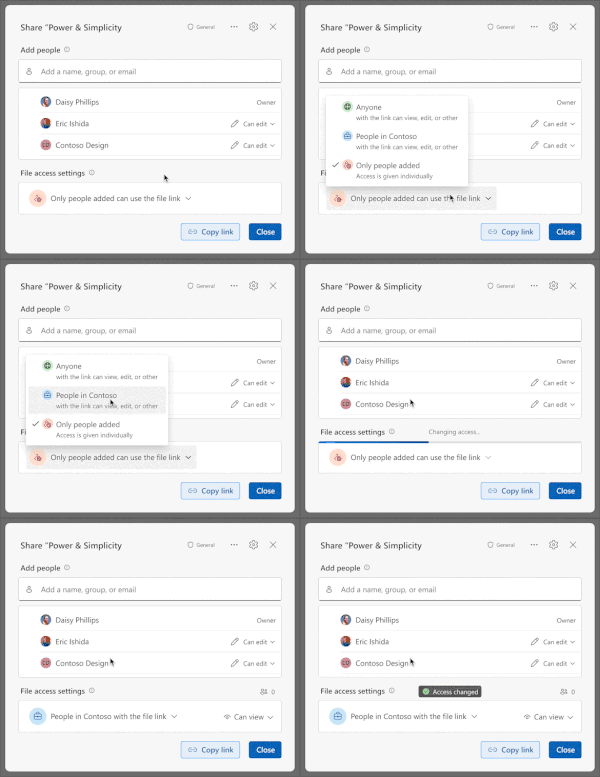
For users, this means:
- Less confusion when sharing content
- Fewer duplicate sharing links
- Easier permission updates
- Better visibility into existing access
The result is a streamlined sharing process that reduces administrative overhead and improves collaboration.
Why This Matters
Many organizations struggle with:
- Duplicate sharing permissions
- Outdated links that remain active
- Difficulty identifying who has access to documents
- Accidental oversharing
As Microsoft 365 environments continue to expand and AI-powered tools such as Microsoft 365 Copilot rely on organizational content, maintaining proper permissions has become more important than ever. Internal governance discussions across Microsoft 365 environments frequently identify oversharing, stale sharing links, and broad access permissions as common security concerns.
A Cleaner, People-First Sharing Experience
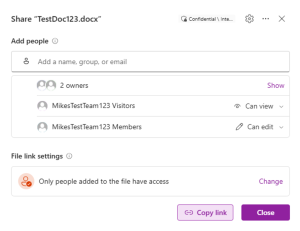
One of the most noticeable improvements is the redesigned sharing dialog.
Instead of focusing primarily on links and permission settings, the updated interface centers on the people who already have access and those you’re about to grant access to.
Benefits for End Users
Users can now:
- Quickly see who has access
- Understand permission levels more easily
- Share files with fewer clicks
- Reduce mistakes during collaboration
- Adjust access without navigating multiple menus
This approach makes sharing actions more intuitive, especially for users who may not be familiar with SharePoint or OneDrive permission structures.
The Connection to Copilot Readiness
As organizations adopt Microsoft 365 Copilot, sharing and permissions become increasingly important.
Copilot respects existing Microsoft 365 permissions. If users have access to content, Copilot can discover and reference that information. Because of this, reviewing sharing practices is a critical component of AI readiness. Internal Copilot readiness guidance frequently highlights permissions, oversharing, stale links, and content governance as key areas organizations should address before large-scale AI adoption.
Key Benefits of the New Sharing Experience
Simpler Collaboration
Employees can share documents more confidently and spend less time managing permissions.
Stronger Security
Clearer permission controls help reduce accidental oversharing and improve data protection.
Better User Adoption
A more intuitive interface reduces training requirements and improves the overall Microsoft 365 experience.
Improved Governance
Administrators gain a more manageable way to support secure collaboration across SharePoint and OneDrive environments.
Future-Ready for AI
Organizations with well-managed permissions and sharing practices are better positioned to take advantage of Microsoft 365 Copilot and other AI-powered capabilities.
How Organizations Should Prepare
Before the new experience reaches your tenant, consider reviewing:
Existing Sharing Policies
Ensure current sharing policies align with business requirements and security standards.
External Sharing Settings
Validate how external users access content and whether guest access controls are appropriately configured.
Permission Reviews
Identify overly broad permissions, legacy sharing links, and inactive content.
Copilot Readiness
Evaluate your content governance strategy to ensure AI can surface accurate and secure information.
Microsoft’s new sharing experience for OneDrive and SharePoint is more than a visual refresh. By introducing Hero Links, clearer permission visibility, and a people-first sharing interface, Microsoft is helping organizations strike a better balance between collaboration and governance.
For businesses preparing for AI-driven productivity with Microsoft 365 Copilot, now is the perfect time to review sharing practices, permission structures, and content governance strategies