Author
Prem Chandran
Stay in the Loop Without Another Meeting: Understanding the Follow Feature in Outlook
Meetings remain one of the biggest contributors to workplace overload. Many employees attend meetings not because they need to actively contribute, but because they do not want to miss important decisions, updates, or action items.
Microsoft’s new Follow feature in Outlook offers a practical alternative. Instead of sitting through every discussion, users can indicate that they won’t attend while still staying connected to the meeting outcomes. It’s a simple feature, but one that supports a larger shift toward more intentional collaboration, fewer unnecessary meetings, and better use of everyone’s time.
What Is the Follow Feature in the New Outlook?
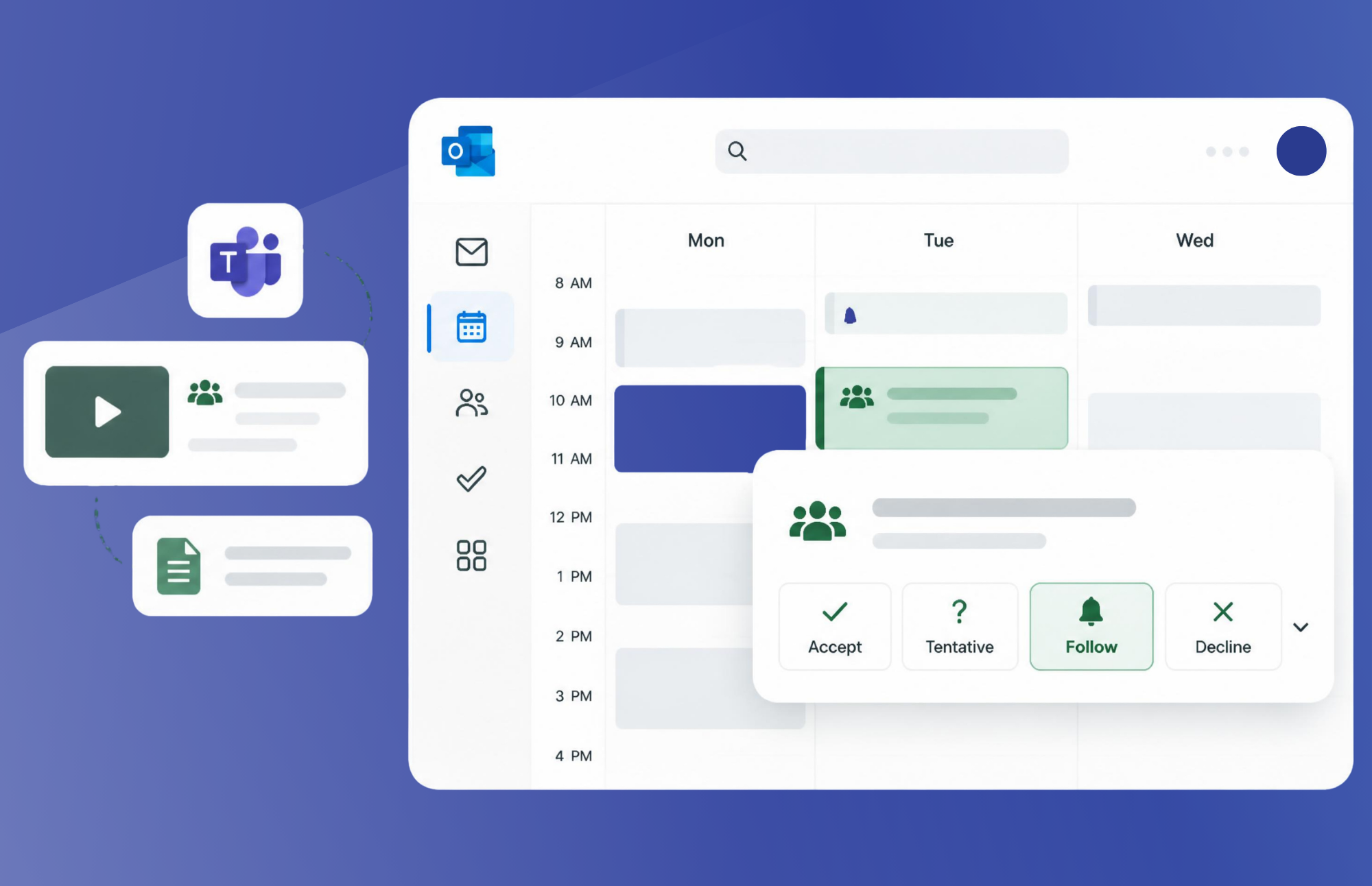
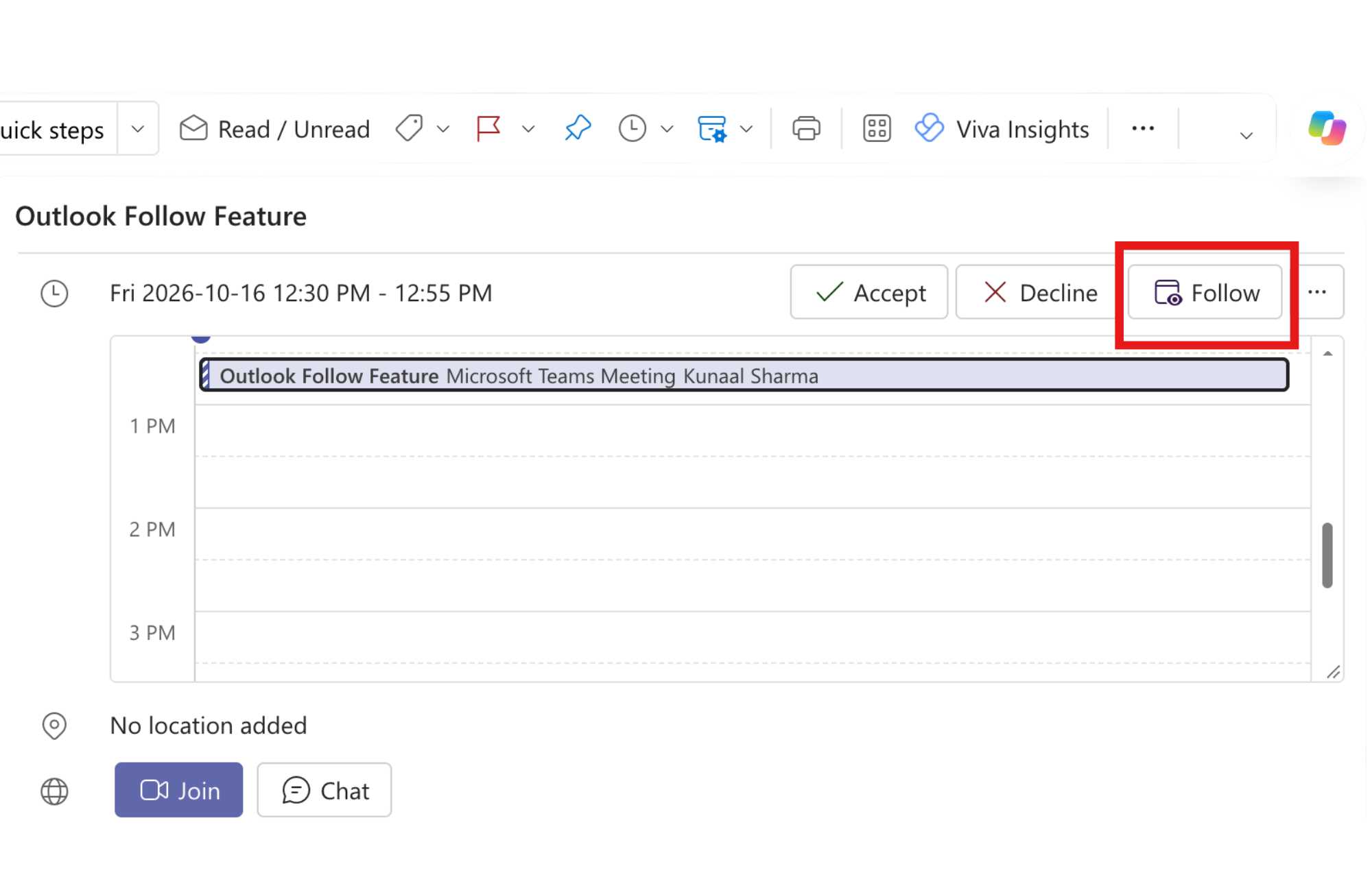
The Follow feature in Outlook is a meeting response option available in the new Outlook for Windows and Outlook on the web. Alongside Accept, Tentative, and Decline, Follow gives users another way to respond to meeting invitations.
When you select Follow, you’re telling the organizer:
“I won’t be attending live, but I would like to stay informed about what happens.”
For organizations trying to improve productivity and reduce meeting fatigue, this distinction matters. It allows employees to remain aware of important discussions without adding another meeting to their calendars
How Does Follow Work?
The experience is simple. For eligible meetings, Follow appears as a response option within the invitation. When selected:
- The organizer is notified that you won’t attend live.
- The meeting time remains free on your calendar.
- You retain access to meeting details and chat conversations.
- If available, you can review recordings, transcripts, and shared content after the meeting.
This creates a useful middle ground between full attendance and complete disengagement. Instead of choosing between “I’ll attend” or “I don’t need this,” users can choose “Keep me informed.”
Why Follow Matters for Modern Collaboration
One of the most common workplace productivity challenge is that people attend meetings mainly for visibility.
A manager might join a project meeting because they want to understand the outcome. A marketing stakeholder might sit through a technical discussion because one decision affects an upcoming campaign. Someone from finance, legal, or operations might be invited because their team needs occasional awareness.
In each case, the person may need the information, not the full live conversation. Follow helps separate participation from awareness, giving teams a clearer way to decide who needs to attend and who simply needs the outcome.
The Business Benefits of Using Follow
The biggest benefit of Follow is not simply having another Outlook response button. The real value is the communication habit it supports: being more intentional about meeting attendance.
Less Calendar Overload
A followed meeting shows the time as free on the attendee’s calendar, which can help people protect time for focused work, client responsibilities, and higher-priority conversations.
It can also make expectations clearer. Tentative can be ambiguous: is the person planning to join, or are they simply interested in the update? Follow communicates a different intention: I will not be there, but I want to stay informed.
For organizers, that distinction is useful. They can see who expects a follow-up and make better decisions about recording the meeting, sharing notes, or posting next steps in Teams.
Follow Becomes Even More Valuable with Copilot
For organizations using Microsoft 365 Copilot, the value of Follow grows significantly.
Instead of attending a meeting simply to stay informed, employees can use:
- Meeting transcripts
- Meeting recordings
- AI-generated recaps
- Action item summaries
- Decision tracking
Together, these capabilities make it easier to quickly understand what happened without dedicating time to live conversation.
As organizations continue investing in AI-powered productivity tools, features like Follow help support more asynchronous ways of working. Employees can spend less time attending meetings and more time acting on outcomes.
This is where the real opportunity exists: combining modern collaboration habits with Microsoft 365 capabilities to help people work smarter, not simply work more.
What Are the Limitations of Follow?
Follow will not eliminate meeting overload by itself, and it is not appropriate for every situation. If your expertise, approval, or decision is required, attending the meeting is usually the better choice.
There is also a dependency on what gets captured. Followers can access recordings and transcripts that were created for the meeting, but Follow does not guarantee that a recording or transcript will exist afterward.
There are also compatibility considerations. Microsoft documents Follow for the new Outlook for Windows and Outlook on the web. If an organizer uses classic Outlook for Windows, Outlook for Mac, or Outlook Mobile, Microsoft says a Follow response appears to that organizer as Tentative.
A Small Feature That Supports Better Ways of Working
The Follow feature in the new Outlook is a simple but useful shift in how employees can approach meetings. It recognizes that staying informed and being present are not always the same thing.
Used appropriately, Follow can help employees protect focus time, improve visibility across teams, and give managers and stakeholders a practical way to remain connected without automatically attending every meeting.
It also shows why organizations should keep exploring the Microsoft 365 capabilities they already have. Small changes in how people use familiar tools can unlock meaningful improvements in productivity, communication, and collaboration.