Author
Vibha Kakar
SharePoint or Dataverse for Storage? When to Use What
Most Power Apps don’t fail at launch. They fail 18 months later, when a quick SharePoint list has become a business-critical system nobody wants to touch.
The storage choice you make before the first screen decides how much that app will cost to run, secure, and extend. For IT administrators, the SharePoint-versus-Dataverse decision is not simply a storage decision. It affects security, governance, application lifecycle management, scalability, integration, licensing, and the effort required to support the solution over time. Here’s how to choose.
SharePoint vs. Dataverse: Why the decision matters
SharePoint and Dataverse both store data, connect to Power Apps, and run Power Automate flows, so they can look interchangeable. They aren’t. SharePoint is built for collaboration and content. Dataverse is built for structured business data and the rules around it.
The difference rarely shows in a prototype. It shows as the app grows: more lists, more lookups, more flows, harder security, and changes that ripple through the whole app. A solution that was easy to launch becomes expensive to maintain, and its data becomes harder for Copilot and AI agents to use well.
So don’t choose based only on what’s already available. Consider what you’re storing, how it connects, who needs access, and how important the app could become.
When SharePoint is the right choice
SharePoint wins when documents sit at the centre of the work, or when simple tracking fits in a list or two. People already know it, and it works inside Teams and Office.
Example: an equipment request app that saves to one list and runs a single approval flow. With a few fields and no complex relationships, SharePoint is the sensible choice.
When Dataverse is the right choice
Dataverse wins when the app manages connected business records and the process matters. Customers, projects, and requests link through native relationships instead of copied data, and security and business rules live with the data, so every app and flow follows them.
Example: an HR case app where managers see their team’s cases, HR sees all of them, and some fields are HR-only. That’s hard to govern in SharePoint and standard in Dataverse.
For a deeper look, read Creospark’s complete guide to Microsoft Dataverse.
SharePoint vs. Dataverse Comparison
| Area | SharePoint | Dataverse |
|---|---|---|
| Best suited for | Documents, collaboration, and simple tracking | Business applications and structured transactional data |
| Data structure | Lists, libraries, columns, and lookup fields | Tables, columns, and native relationships |
| Relationships | Suitable for basic lookups | Supports one-to-many and many-to-many relationships |
| Document management | Excellent document libraries, versioning, metadata, and co-authoring | Can store files, but SharePoint is generally better for document management |
| Security | Site, library, list, folder, and item permissions | Role-based, record-level, business-unit, and column-level controls |
| Business logic | Usually handled using Power Apps and Power Automate | Supports business rules, validation, calculated fields, and platform logic |
| Power Apps | Good for straightforward canvas apps | Strong for advanced canvas apps and required for model-driven apps |
| Scale | Better for straightforward list-based scenarios | Designed for enterprise application workloads |
| AI readiness | Strong knowledge source for Copilot over documents | Structured, permission-aware data for Copilot Studio agents and automation |
| Licensing | Commonly available through Microsoft 365 | Premium Power Platform licensing and capacity may be required |
| Governance | Primarily Microsoft 365 / SharePoint governance | Power Platform environment, security, DLP and application governance |
| App architecture | Common for lightweight canvas apps | Strong fit for enterprise canvas and model-driven applications |
| Operational support | Simple initially, but complex list/flow architectures can become harder to maintain | More upfront design/governance, stronger application platform model |
These differences mean that the decision should be based on data complexity, relationships, security, business logic, scale, and licensing rather than convenience alone.
When should SharePoint and Dataverse be used together?
Many business apps need structured records and strong document management. Use each platform for what it does best:
- Dataverse: application records, statuses, assignments, approvals, and relationships.
- SharePoint: contracts, forms, receipts, images, and other documents linked to those records.
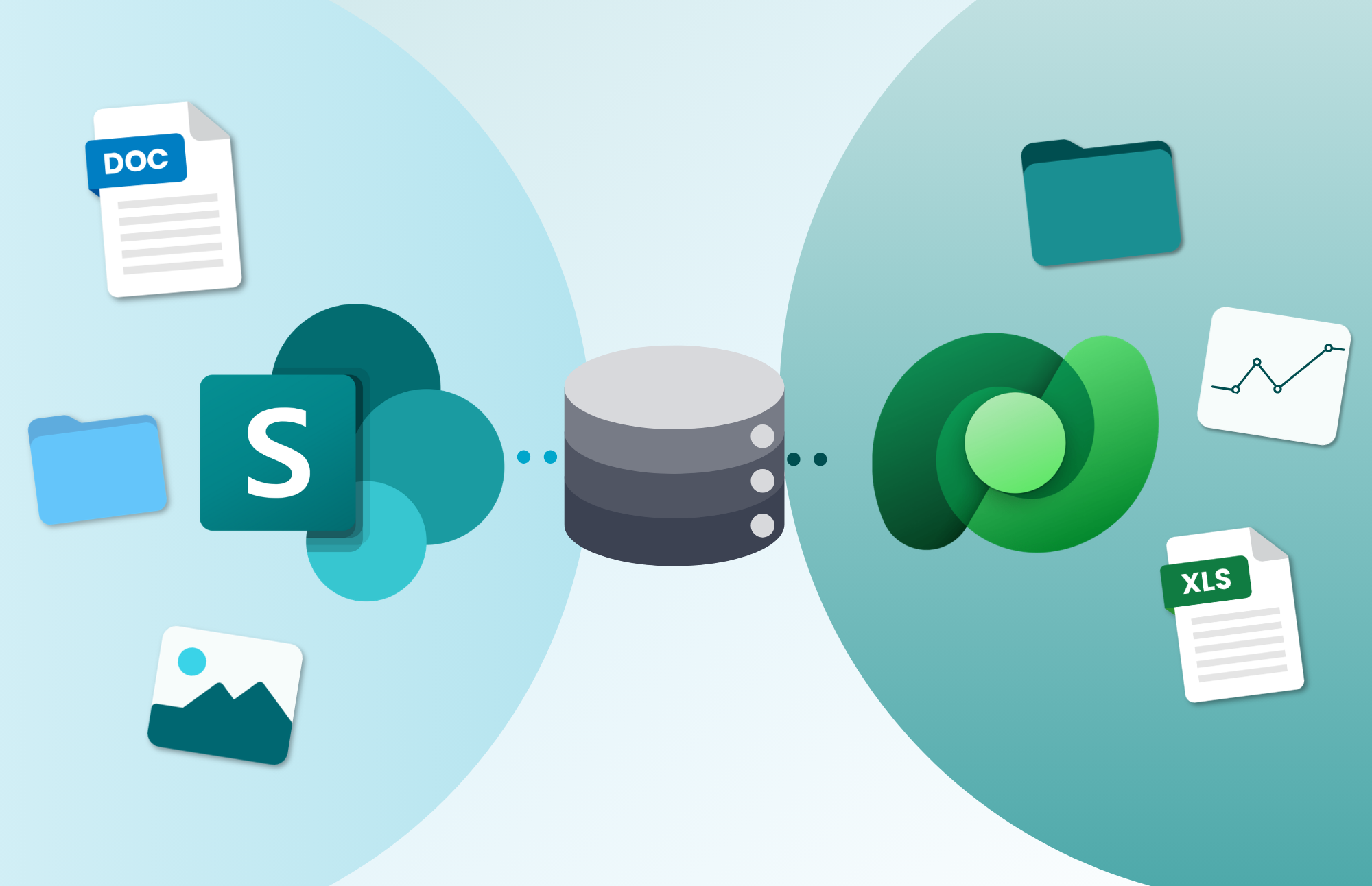
In an employee request app, Dataverse stores the request, reviewer, and approval history, while SharePoint stores the receipts and approval letters. Employees use one Power App and never need to know where each piece lives. Microsoft supports this pattern through SharePoint document integration with Dataverse.
Licence cost vs. total cost
SharePoint looks cheaper because it’s already in Microsoft 365, while Dataverse usually needs premium licences and capacity planning. But an outgrown SharePoint app costs money every month in patched flows, tangled permissions, and duplicated data. The cheapest platform at launch isn’t always the cheapest over three years. Confirm current licensing terms before you commit.
Frequently asked questions
What is the difference between SharePoint and Dataverse?
SharePoint is a Microsoft 365 platform for documents, collaboration, and simple list-based tracking. Microsoft Dataverse is a Power Platform data platform for structured business records, with native table relationships, role- and column-level security, and central business rules.
Should I use SharePoint or Dataverse for Power Apps?
Use SharePoint for document-centred or simple tracking apps. Use Dataverse for apps with related records, sensitive data, or complex rules, and for any model-driven app. Use both when an app needs structured records and the documents linked to them.
Is SharePoint cheaper than Dataverse?
On licence cost, usually yes, because SharePoint is included in most Microsoft 365 plans and Dataverse typically needs premium Power Platform licences. On total cost of ownership, not always: an outgrown SharePoint app can cost more to maintain than a Dataverse app costs to license.
Can Dataverse store documents?
Yes, Dataverse can store files and images. For large document collections, co-authoring, version history, and Microsoft 365 search, SharePoint is usually the better and cheaper home, linked to Dataverse records.
Can a Power App use SharePoint and Dataverse together?
Yes. A common architecture keeps records in Dataverse and related files in SharePoint, with one Power App as the user interface. Microsoft supports SharePoint document integration with Dataverse and model-driven apps.
When should I move a SharePoint list app to Dataverse?
Consider moving when the app relies on many connected lists, item-level permissions, duplicated data, delegation workarounds, or rules spread across many flows. Creospark recommends treating it as a redesign of the data model, apps, flows, and security, not a data copy.
Is SharePoint or Dataverse better for Copilot and AI agents?
Both play a role. SharePoint is a strong knowledge source for Copilot over documents and content. Dataverse gives Copilot Studio agents structured, permission-aware business records to read and act on.