Author
Prem Chandran
Microsoft Made Sharing Easier. Do You Know Who Can Access Your Content?
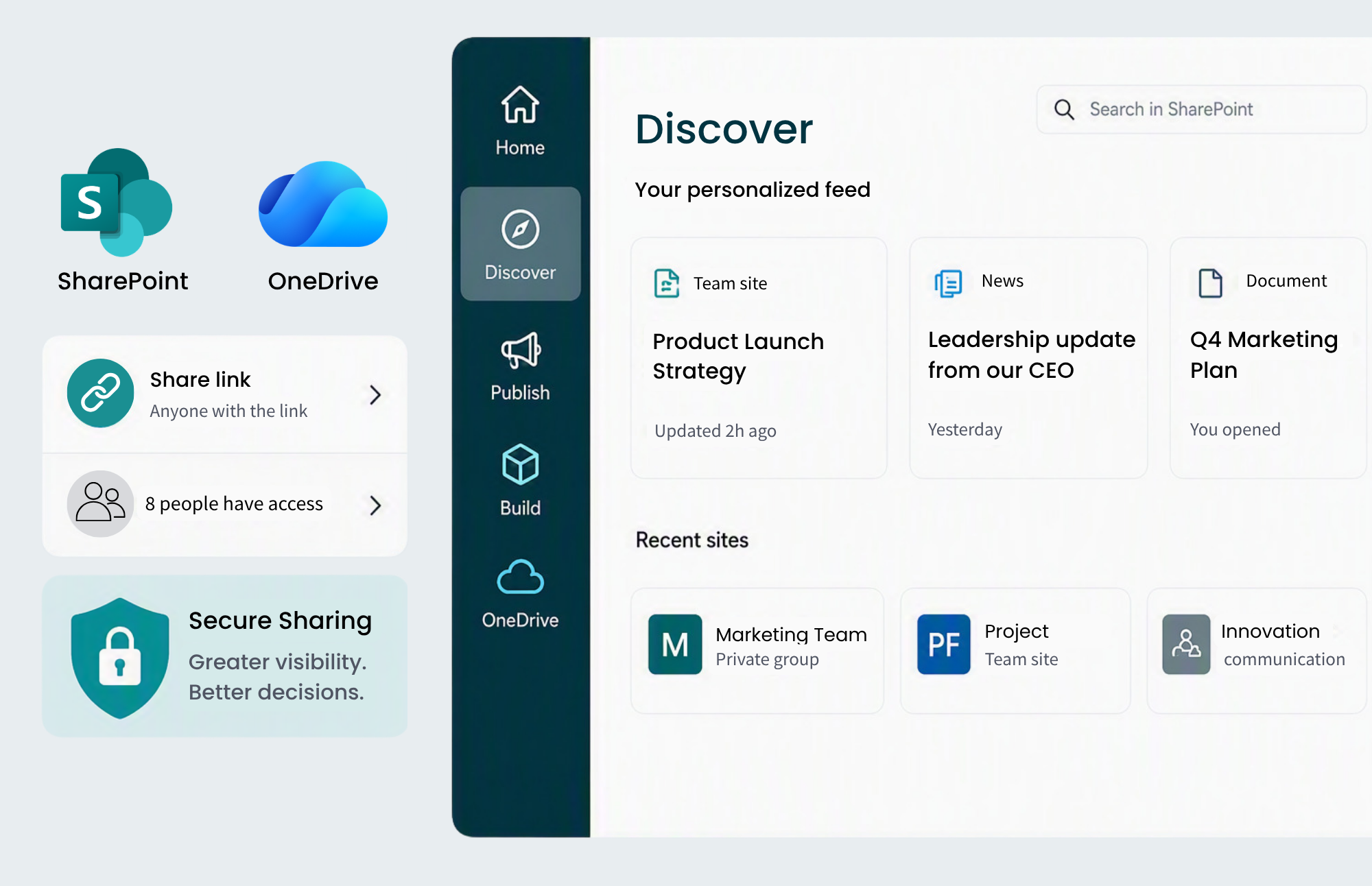
Microsoft’s recent updates to the OneDrive and SharePoint sharing experience are a welcome improvement for organizations that rely on Microsoft 365 for collaboration. The redesigned interface introduces Hero Links, provides greater visibility into who already has access to content, and makes sharing decisions easier to understand at the point of action. Microsoft’s goal is to simplify collaboration while making secure sharing easier for users to navigate.
For many organizations, these improvements address a long-standing usability challenge. Users often struggle to understand link types, permission settings, and access scopes when sharing content. A more intuitive sharing experience should help reduce confusion and make day-to-day collaboration feel more natural.
At the same time, the announcement raises a more important governance question. While Microsoft has made it easier to manage future sharing decisions, many organizations still lack visibility into the thousands of sharing decisions that have already been made across their Microsoft 365 environment. Understanding current access is often far more difficult than granting new access.
The Real Challenge Isn’t Sharing Content
Most organizations are not struggling to collaborate. In fact, modern SharePoint and Microsoft 365 environments are designed to make collaboration fast, flexible, and accessible. Teams can share files instantly, work together across departments, and collaborate with external partners without many of the barriers that existed in traditional file-sharing systems.
The challenge emerges over time. Every project, contractor engagement, executive initiative, department restructure, and business partnership introduces new access requirements. Each permission decision is usually made for a legitimate reason, but those decisions often remain in place long after the original business need has disappeared.
As organizations grow, those individual decisions accumulate. Eventually, what began as a well-organized SharePoint environment can evolve into a complex collection of unique permissions, direct sharing assignments, guest access configurations, and inherited permissions that few people fully understand.
How Permission Complexity Develops
One of the most common misconceptions is that access issues are created by poor governance practices. In reality, most permission complexity develops through normal business activity rather than administrative mistakes.
Consider a project team that brings in a third-party consultant to support a six-month initiative. The consultant needs access to a specific folder, so a site owner grants direct permissions to help work move forward quickly. The project succeeds, the consultant’s work concludes, and everyone moves on. Three years later, the access remains because nobody remembers the original sharing decision.
A similar situation often occurs with executive content. A confidential presentation may need to be reviewed by a small leadership team, so direct access is granted to a handful of individuals. The review takes place, decisions are made, and the project concludes. What often remains, however, is a file with permissions that differ from everything around it.
Department restructures create another common source of complexity. Teams evolve, responsibilities shift, employees leave, and new staff members join. While content ownership changes naturally over time, permissions are not always reviewed with the same level of attention. Organizations frequently discover access models that reflect how the business operated years ago rather than how it operates today.
None of these scenarios indicate that something was done incorrectly. They simply demonstrate how collaboration decisions accumulate faster than governance reviews can keep pace.
SharePoint’s Permission Model Works Well Until Reality Gets Involved
SharePoint was designed around a permission inheritance model that is both powerful and manageable. Under normal circumstances, access flows down through the information hierarchy. Sites grant permissions to libraries, libraries pass those permissions to folders, and folders pass those permissions to files.
This approach creates predictability and consistency. Administrators can understand access by examining the parent structure, while users benefit from a straightforward permissions model that supports collaboration at scale.
Business requirements, however, rarely fit into perfect hierarchies. Certain folders require restricted access, specific files must be shared externally, and project teams often need temporary exceptions to standard permissions. As those exceptions accumulate, inheritance becomes less representative of actual access.
The problem is not that inheritance has been broken. The problem is that organizations often lose visibility into where inheritance has been broken and why those decisions were made in the first place.
Why Microsoft’s New Sharing Experience Matters
Microsoft’s redesigned sharing experience directly addresses several common usability challenges. Users can more easily see who already has access to content, identify external participants, and understand how sharing decisions affect access. Hero Links introduce a single-link model that simplifies how access is managed and updated over time.
These improvements should help organizations make better sharing decisions moving forward. Users will have greater visibility at the point of sharing, which reduces the likelihood of accidental mistakes and creates a more intuitive collaboration experience. Microsoft’s approach also allows organizations to manage link access through a more consistent model than many users are accustomed to today.
What these updates do not provide, however, is visibility into permission decisions that already exist across the environment. A simpler sharing experience improves future governance, but it does not automatically reveal where permissions have diverged from the intended access model over the past several years.
Organizations should view the announcement as both a usability improvement and an opportunity to reassess their broader governance strategy.
Copilot Is Changing the Conversation Around Permissions
For years, permissions were primarily discussed within governance, compliance, and IT teams. While access control has always been important, many organizations viewed it as an operational concern rather than a strategic one.
Microsoft 365 Copilot is changing that perspective. Because Copilot respects existing Microsoft 365 permissions, access rights now directly influence what information users can discover and interact with through AI-powered experiences. If a user can access a document, Copilot may be able to surface information from that document during searches, summaries, and conversations.
This often leads to questions from executives and business leaders about whether Copilot can access sensitive information. In many cases, that concern highlights a more fundamental issue. The critical question is not whether Copilot can see the information. The critical question is whether users already had access to that information before Copilot was introduced.
Copilot does not create permission problems that did not previously exist. What it frequently does is expose existing governance gaps by making accessible content easier to discover. As a result, organizations are increasingly realizing that AI readiness depends heavily on understanding their current access model.
The Three Permission Challenges Most Organizations Miss
Permission reviews often focus on identifying who has access to a particular site or document. While that information is important, the most valuable insights typically come from understanding where permissions differ from expectations.
The first challenge involves broken inheritance. Files and folders frequently accumulate unique permissions over time, creating access models that differ from their parent locations. In many cases these exceptions are completely justified, but organizations often struggle to determine whether they remain necessary.
The second challenge involves direct sharing. Users regularly share files and folders with specific individuals because it is the quickest way to enable collaboration. While convenient, direct sharing can create access relationships that are difficult to identify through traditional governance reviews.
The third challenge involves legacy exceptions. Many permissions were created to support projects, teams, or business requirements that no longer exist. Because the original context has been lost, organizations may not realize these exceptions are still active until they begin preparing for initiatives such as Copilot adoption, governance modernization, or security audits.
Understanding these permission differences provides a much clearer picture of organizational risk than simply reviewing access lists.
What Organizations Should Review Before Expanding Copilot Adoption
Organizations preparing for Microsoft 365 Copilot often focus heavily on licensing, enablement, training, and change management. While those activities are important, they should be complemented by a review of content governance and permissions.
A practical review starts by identifying files and folders that have broader access than their direct parent. Governance teams should also examine areas where inheritance has been broken, where unique permissions exist, and where direct sharing may have introduced unexpected access paths. Equally important is the ability to identify areas requiring human review rather than relying solely on automated analysis.
The goal is not to eliminate every exception. Most organizations require flexibility in order to operate effectively. The objective is to understand where access differs, why it differs, and whether those differences still align with business requirements today.
When organizations gain that visibility, they can make informed decisions
Understanding Access Before It Becomes a Problem
Microsoft’s improved sharing experience represents a meaningful step forward for collaboration within Microsoft 365. Users gain greater visibility into access decisions, administrators benefit from a more intuitive sharing model, and organizations have an opportunity to establish clearer governance practices moving forward.
At the same time, the announcement serves as a useful reminder that future sharing decisions are only part of the governance picture. The larger challenge often involves understanding decisions that were made months or years ago and determining whether they still reflect the organization’s needs.
Organizations that invest time in understanding their permission landscape are often better positioned to strengthen governance, improve security confidence, and prepare for AI-powered experiences. Rather than asking whether users can share content effectively, leaders should focus on whether they understand who can already access the content that exists throughout their environment.
Ultimately, the most important governance question is not whether sharing has become easier. The more valuable question is whether your organization understands the access that already exists and can confidently explain why it exists.