Author
Prem Chandran

Legal professionals didn’t choose this profession to chase approvals, rename files, or manually update matter logs.
Yet in many law firms, highly skilled lawyers and legal operations teams still spend hours every week on repetitive, low-value tasks. Intake emails are copied into spreadsheets. Engagement letters are tracked manually. Matter updates live across inboxes, shared drives, and disconnected systems.
The result is familiar: lost time, higher risk, and frustrated teams.
This is where Microsoft’s Power Platform becomes practical, not as “innovation theatre”, but as a way to quietly remove friction from daily legal work.
Why automation resonates with legal leadership
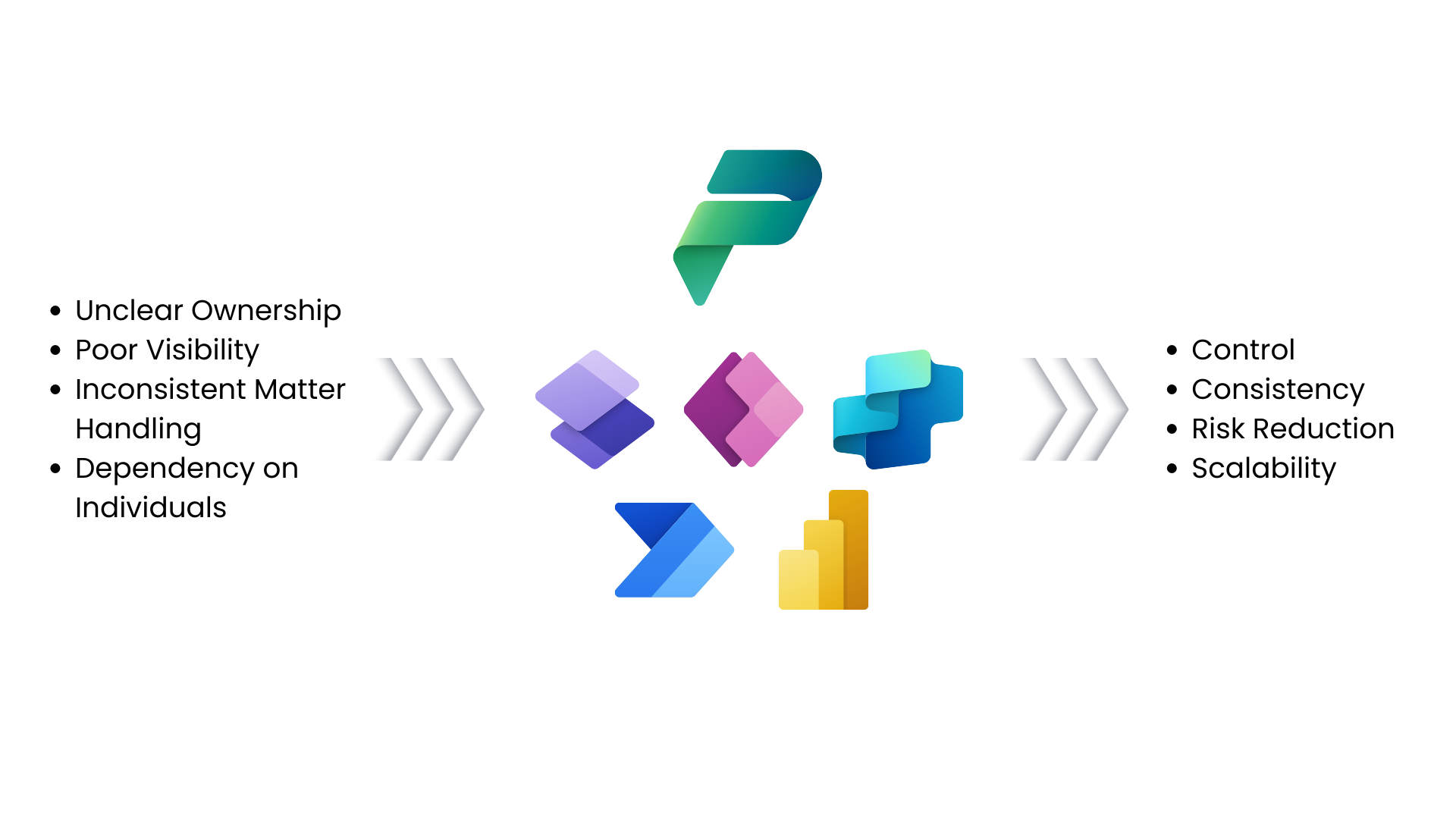
For managing partners and firm leadership, the automation conversation is not about replacing people or cutting corners. It is about control, consistency, and risk reduction.
Manual processes create hidden exposure:
- Delays caused by unclear ownership
- Missed deadlines due to poor visibility
- Inconsistent handling of matters
- Higher dependency on individuals rather than systems
Automation for law firms introduces structure where chaos often hides. When processes are predictable and visible, leadership gains confidence that the firm can scale without increasing risk.
Matter intake: fixing the front door of legal work
Matter intake is one of the most underestimated operational pain points in law firms. Requests arrive through emails, calls, informal messages, or incomplete forms. Important details are often missing, leading to rework and delays.
With Power Platform, firms can standardize intake without disrupting how clients or internal team’s work.
A digital intake process can:
- Capture required information upfront
- Automatically route requests for conflict checks
- Assign matters to the right practice group
- Create a consistent matter record in Microsoft 365
For decision-makers, the value is simple: fewer errors at the start mean fewer problems downstream.
Approval workflows that respect how lawyers actually work
Approvals are rarely slow because of complexity. They are slow because they depend on inboxes, memory, and manual follow-ups.
Power Automate allows approvals to happen inside familiar tools like Outlook and Teams, rather than in separate systems.
This means:
- Partners approve documents directly from email or Teams
- Status is visible without chasing people
- Escalations occur automatically when delays happen
- A full audit trail is captured for compliance
Organizations that automate approvals often report measurable reductions in turnaround time, sometimes cutting approval cycles for routine documents.
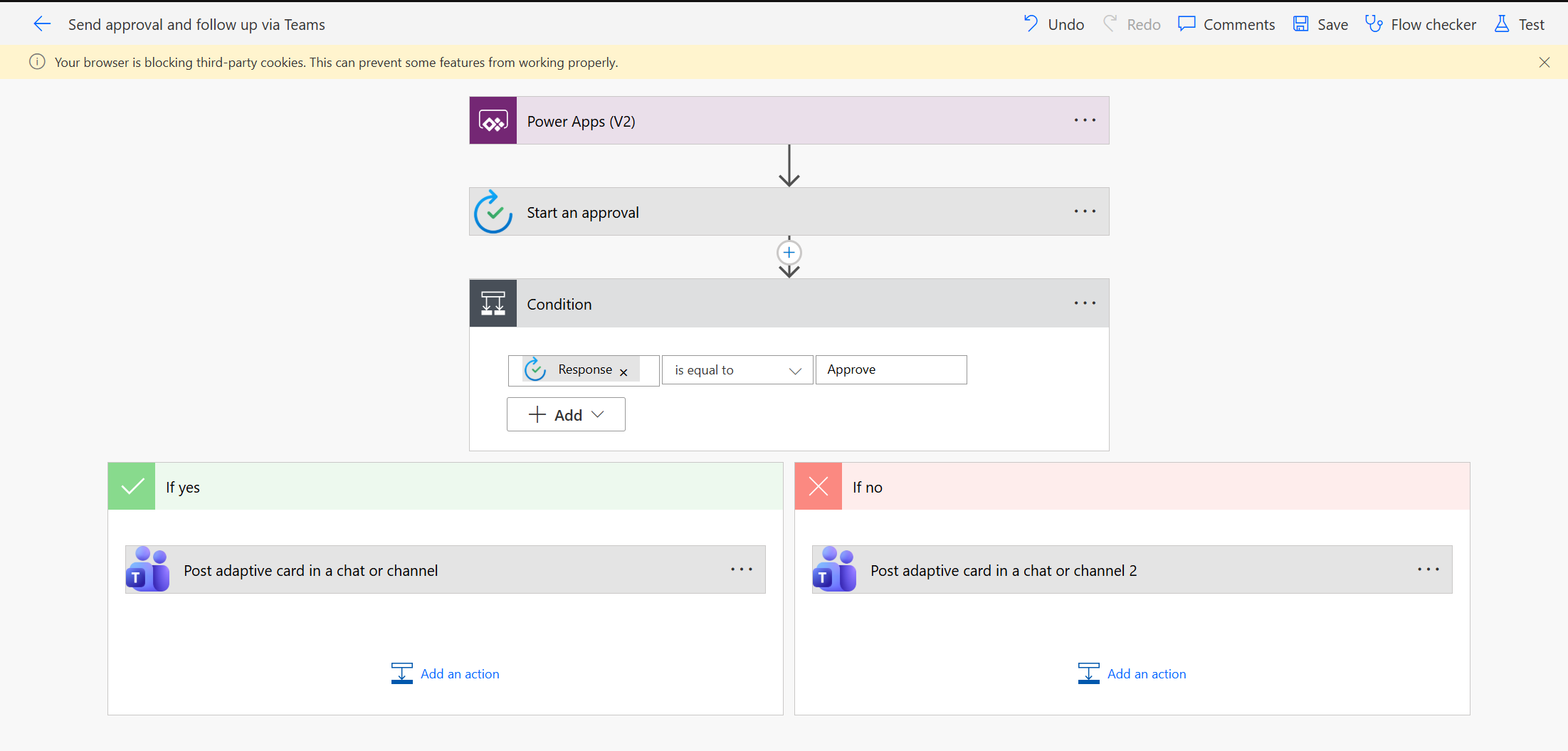
Example Power Automate Approval Workflow
Reducing deadline risk across matters
Missed deadlines are not usually caused by lack of knowledge. They happen because reminders live in personal calendars or disconnected systems.
Automation helps by creating shared accountability.
With Power Platform:
- Deadlines trigger automated reminders
- Tasks are tracked centrally, not individually
- Leadership gains visibility into overdue actions
- Risk is surfaced early, not after the fact
For law firm leaders, this is less about efficiency and more about protecting reputation.
Turning legal knowledge into an asset, not an archive
Law firms generate enormous institutional knowledge, but much of it is never reused. Once a matter closes, insights disappear into folders and inboxes.
Automation can prompt teams to capture key learnings at matter close, route them into structured knowledge libraries, and make them discoverable later through Microsoft 365.
Over time, this improves consistency, speeds up future work, and reduces dependency on individual memory.
How Creospark supports legal teams
Creospark works with law firms and legal departments to identify where automation delivers real value without introducing unnecessary risk. As a Microsoft Solutions Partner, the focus is on practical use cases, governance, and readiness, not experimentation for its own sake.
Through Creospark’s Power Platform Assessment, legal organizations gain a clear view of their current Microsoft 365 environment, identify high-impact automation opportunities, and establish a realistic roadmap for modernizing workflows. The assessment focuses on legal, compliance, and operational realities, helping firms automate safely today while laying the groundwork for future AI-driven capabilities.
Automation does not replace legal expertise. It protects it by removing distractions that dilute focus and increase risk. For law firm decision-makers, the question is no longer whether automation is relevant, but whether current processes are holding the firm back.
The firms that move deliberately now will be better positioned for client expectations, talent retention, and AI adoption in the years ahead.