Author
Prem Chandran
Legal teams operate in digital workspaces constantly. These platforms are used to manage, communicate, and store highly sensitive information while collaborating with internal stakeholders, external counsel, and regulators. Because of this, they require more than generic cybersecurity controls when building a digital workspace. Security must be embedded directly into the collaboration layer, not simply bolted on afterward.
In practice, many legal workspaces today rely heavily on Microsoft 365, in which SharePoint, Teams, Outlook, and Purview work together to provide and govern document management, communication, and AI services. If these tools are so widely used, it's important for the privacy, security, and governance standards found in the Microsoft environment to support legal work.
Why Security Matters More in Legal Digital Workspaces
Legal teams deal with sensitive information found in contracts, intellectual property, litigation materials, regulatory correspondence, and personal data. If that's the case, digital workspaces for legal professionals must both allow information accessibility to the right people, but also keep data as strictly confidential and defensible as possible.
As legal work becomes more distributed and collaborative, traditional perimeter-based security models are not enough to keep information safe. Secure legal workspaces are responsible for protecting data wherever it is stored, shared, or accessed, while at the same time avoiding slowing down legal operations or increasing risk.
Core Security Principles Mapped to Microsoft 365 Legal Controls
Security in legal workspaces is a combination of: first, proper technical controls, and second, careful operational disciplines. Microsoft 365-based environments provide the following actionable, concrete controls based on foundational security principles:
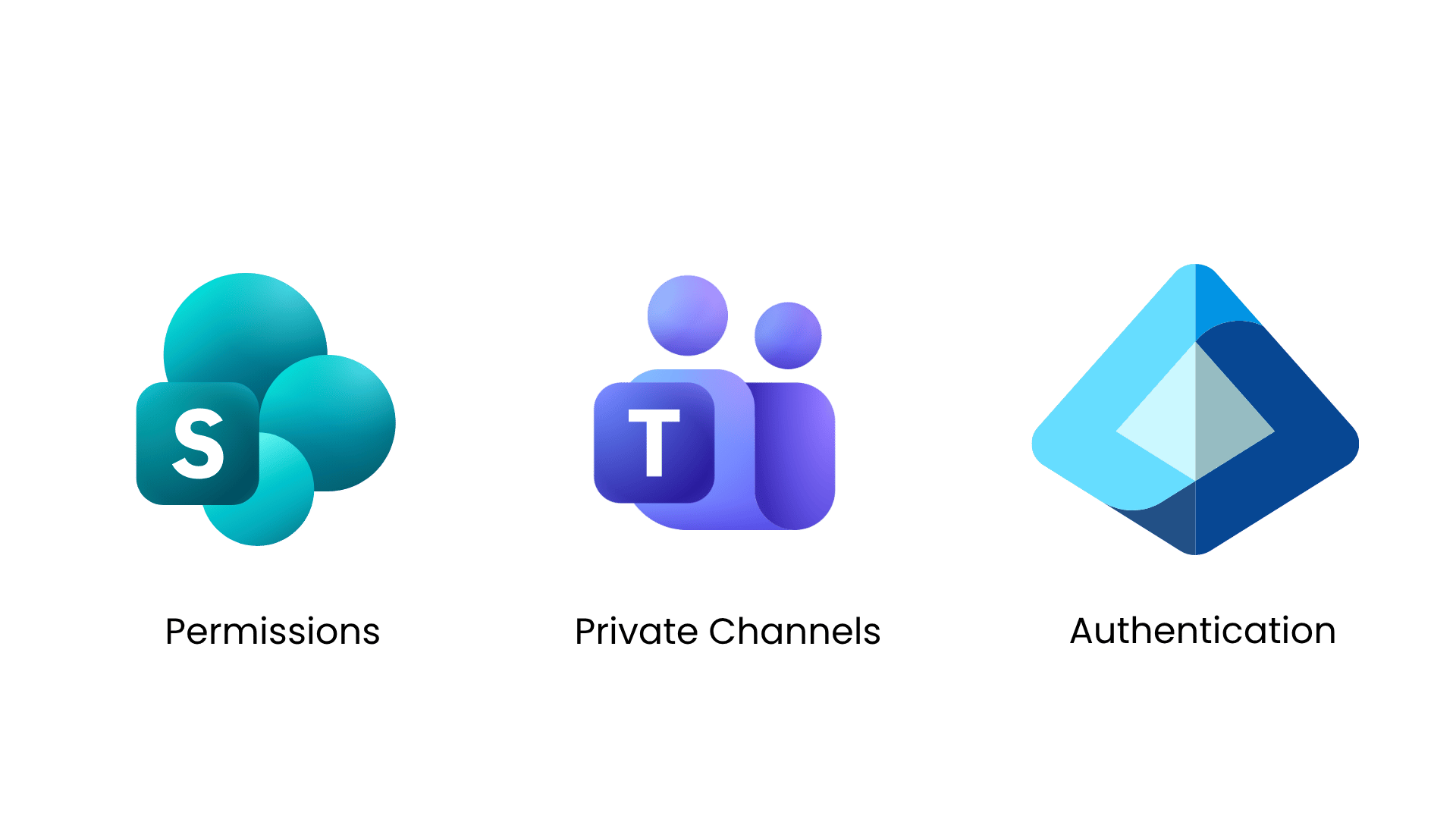
- Least-privilege access enforced through SharePoint permissions, private Teams channels, and sensitivity labels
- Strong identity and authentication using Entra ID, multi-factor authentication, and conditional access
- Continuous monitoring and auditing via unified audit logs and Purview activity explorer
- Clear ownership and accountability through named matter owners, site owners, and legal approvers
These controls ensure users only access information tied to their role and assigned matters. This reduces information exposure while supporting day-to-day legal work.
Role-Based Access Designed for Matters, Clients, and Ethical Boundaries
A legal professional's role isn't the only thing that matters. Legal teams operate around matters, clients, and ethical obligations. Secure digital workspaces must, then, reflect this reality.
In practice, role-based access can be implemented using matter-specific workspaces. Only granting attorneys, paralegals, and external counsel access to certain information for the duration of a case or project is one way to do this. Client-segregated sites, ethical walls, and time-limited permissions also prevent cross-matter visibility – even within the same legal department.
This approach can reduce the risk of accidental disclosure and maintain security controls while still allowing the appropriate access for work to be done.
Data Privacy, Confidentiality, and Legal Defensibility
Furthermore, data privacy is a key aspect of legal operations. The policies of a secure digital workspace relating to data classification, encryption, and retention need to satisfy regulatory and contractual obligations.
In internal governance and legal defensibility, audit logs and activity tracking are extremely important. Investigations, regulatory inquiries, and disputes can all rely on detailed records of the who, when, and how documents were accessed. Without the visibility these logs provide, it can be difficult for organizations to demonstrate that they have security and control over sensitive legal data.
AI Security in Legal Workspaces: Control First, Automation Second
AI creates a lot of buzz around privacy and security. However, it can be controlled. When introducing AI tools like Copilot to legal workspaces, they can, and should, be configured to have the same permission boundaries, sensitivity labels, and retention policies as a human user would.
In simple words, AI should not expand access. Rather, it should operate strictly within existing security controls, and only be able to retrieve content and develop responses with data a user is already authorized to see. This principle is critical for maintaining confidentiality, privilege, and trust as AI becomes part of everyday legal workflows.
Secure Collaboration with External Counsel and Clients
Security within the organization is one thing, but legal teams very often collaborate with those outside the organization as well.
Secure digital workspaces must enable this collaboration without compromising control.
Common safeguards include:
- Controlled sharing with explicit permissions
- Time-limited or expiration-based access
- Watermarking draft filings and sensitive documents
- Restrictions on download, resharing, or copying
Controls like these allow legal teams to collaborate efficiently with outsiders like external counsel and clients, and still maintain the visibility and accountability that is required for such sensitive materials.
Governance as Continuous, Matter-Level Risk Management
Security in anything, including legal digital workspaces, is a long game – not a one-time configuration. Governance must be continuous and aligned with the legal lifecycle.
For example, throughout the lifecycle of a case, matter access should be reviewed at key milestones. This includes times like case closure, project completion, or regulatory resolution. These reviews help legal teams adapt to risks, regulations, and organizational changes as they occur.
Training is also critical, as even the strongest controls can be undermined by unclear processes or inconsistent usage.
Legal Teams as Leaders in Secure Digital Workspaces
Legal teams have a unique opportunity to be a part of shaping secure digital workspaces. By defining strong confidentiality standards, acceptable collaboration models, and clear AI usage boundaries, legal departments help ensure technology aligns with regulatory, ethical, and client obligations – not the other way around.
Security and productivity are not opposing goals. When digital workspaces are designed around legal realities, they reinforce each other.
A Practical View of Secure Legal Workspaces
Secure digital workspaces are foundational to modern legal operations. When Microsoft 365 security controls, legal processes, and matter-based governance are designed together, legal teams can protect sensitive information while enabling efficient, collaborative work.
At Creospark, we consistently see security succeed when it reflects how legal teams actually operate across clients, cases, and collaborators rather than forcing legal work to conform to generic IT models.