Author
Nirav Raval
In 2026, leveraging AI-driven platforms is crucial for maximizing productivity and optimizing business operations. Microsoft Copilot Studio continues to be a game-changer, offering a suite of features that empower users to automate, optimize, and innovate their workflows. Below, we explore the top three must-use Copilot Studio features that are shaping productivity for professionals and organizations.
1. MCP Server
The first major feature is the MCP server itself, which delivers a structured catalog of enterprise-grade functions that Copilot agents can execute with accuracy. Each function is defined through a strict schema, allowing copilots to interact with business systems the same way an application interacts with a typed API—predictable, validated, and free from ambiguity. This provides a controlled execution layer that ensures consistent behavior and removes the risk of hallucinated fields or malformed operations, especially when copilots handle critical workloads.
How MCP Works
MCP works by exposing real system actions as clearly defined functions. Each function has fixed inputs, outputs, and data types. Copilot Studio imports these functions as tools, and the agent calls them using secure JSON payloads. The MCP server executes the action and returns structured results, ensuring the copilot performs real operations reliably and without guessing.
Categories in the MCP Marketplace
Common MCP server categories in the marketplace include email and contact management for Outlook, Dataverse and Dynamics 365 service layers, analytics engines such as Databricks and Celonis, wide-coverage data connectors like CData Connect AI, and operational systems including Environment and Business Central.
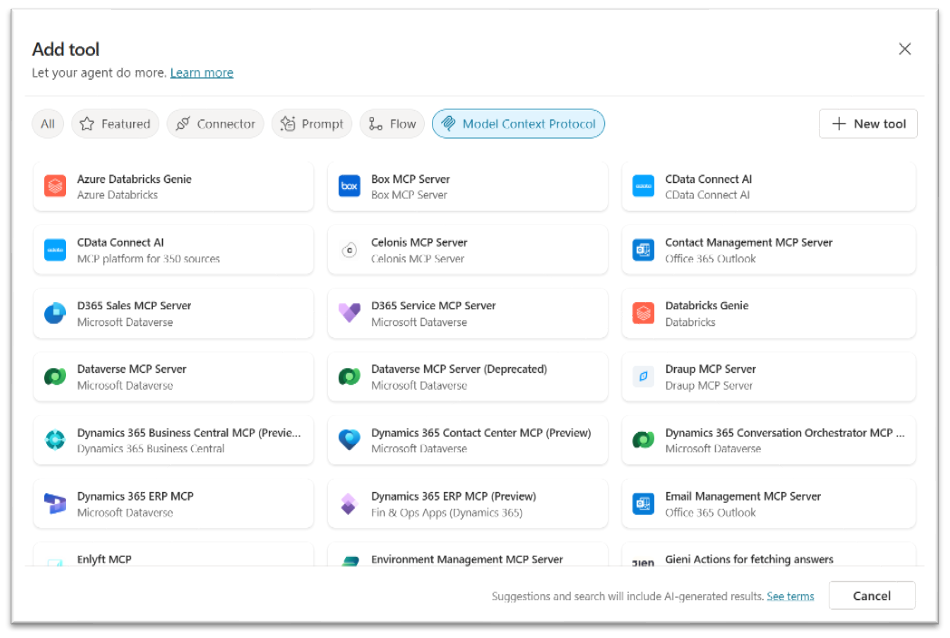
Example: Email Management for MCP Server
To see how an MCP server enhances productivity, consider the Email Management MCP Server. It provides a full, typed function layer for Outlook 365, exposing real executable operations rather than prompt-based or connector-style actions. Each operation follows an MCP schema, and copilots invoke these functions the same way a backend service calls strongly typed APIs, giving you predictable, reliable control over email workflows.
An MCP server built around Outlook 365 can expose:
SendEmail –Sends a new email message.
ReplyToEmail – Replies to an existing email thread.
GetEmail – Retrieves a specific message by messageId.
ListEmails – Returns lists of email messages based on filters such as unread, flagged, from a specific sender, or matching search criteria.
FlagEmail – Flags a message as Important or Follow-Up.
ForwardEmail – Forwards an existing message to new recipients.
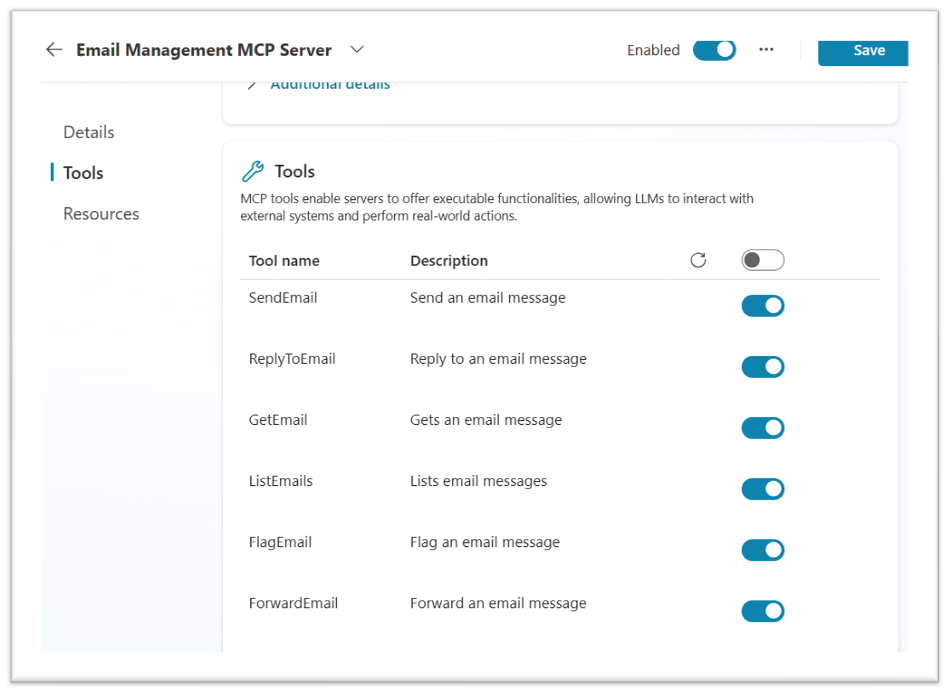
These capabilities make the MCP server a foundational productivity feature. Copilots deliver consistent results in email replies, inbox management, and communication automation by running everything on a governed, typed, and centrally managed service. The result is a reliable, scalable, and enterprise-grade approach to task execution that significantly elevates how organizations use Copilot Studio for real operational work.
2. Copilot Component Collection
Copilot Component Collection enables teams to create reusable, portable building blocks that can be shared across multiple copilots, workflows, and environments. Instead of duplicating logic in every agent, organizations centralize common capabilities into components, ensuring consistency, faster development, and easier maintenance.
What You Can Include
Components may include:
- Topics (dialogue flows, decision logic)
- Knowledge sources (documents, knowledge bases)
- Tools and connectors (API wrappers, integrations, MCP tool invocations)
- Child agents or modular sub-agents
- Model context protocols, custom logic flows
- Entities (data definitions), data bindings, shared functions
Anything that multiple copilots might need should be packaged once and reused everywhere.
How to Build and Use a Component Collection
1. Create a Component
Create a component within the agent or in Component collections from the Copilot Studio home page. Specify necessary inputs, outputs, entities, and dependencies to ensure the component is reusable.
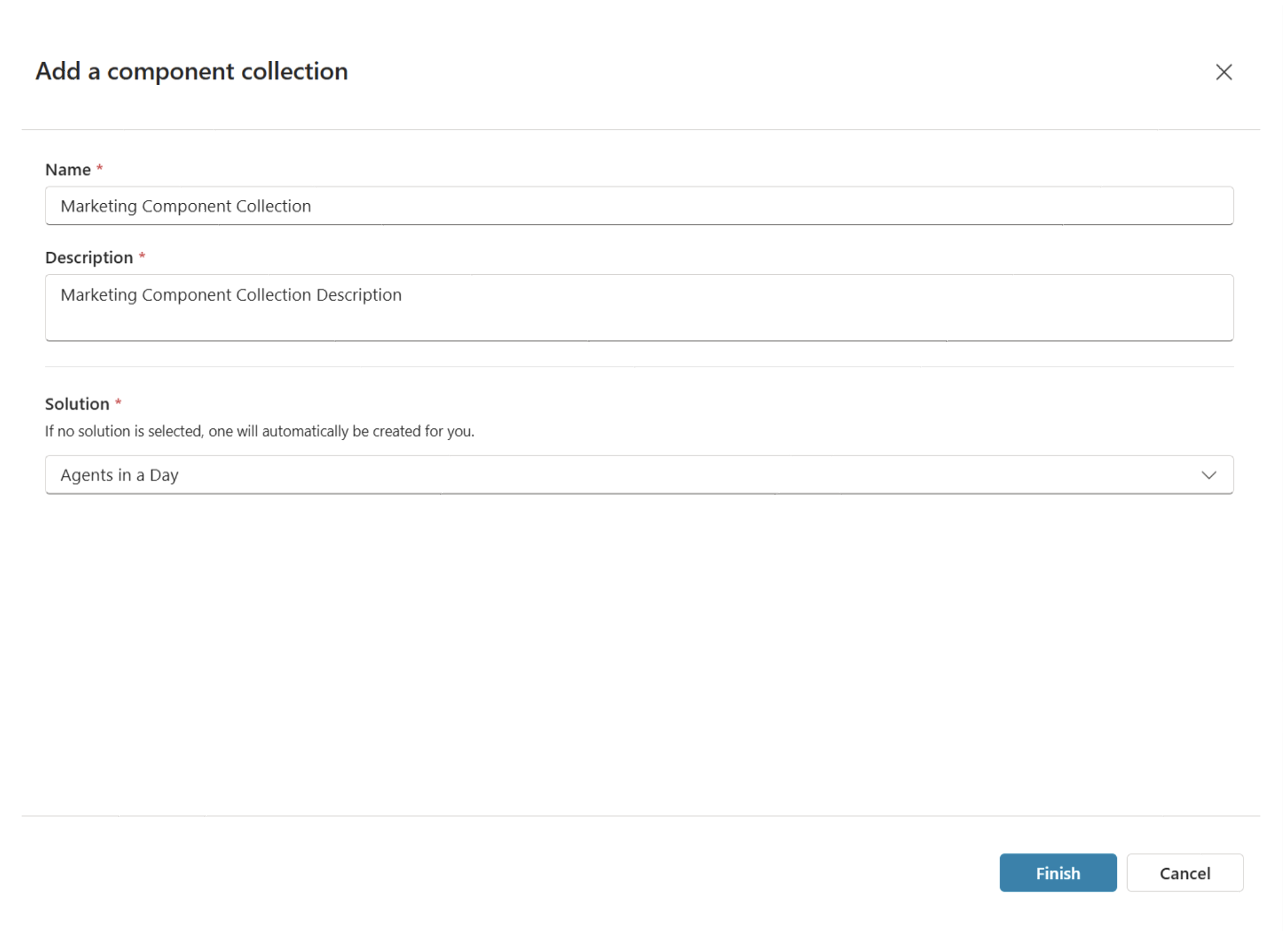
2. Add the Component to a Collection
Open a component collection and add your new component to it. Copilot Studio automatically includes any dependencies, such as linked topics, actions, or entities. Collections act as shared libraries, so organizing them here ensures your team can access and reuse the component consistently across environments.

3. Connect Agents and Use the Component
Once the component is in the collection, connect with agents that require it. Connected agents can import and use the component directly in their authoring canvas, treating it as a native modular building block within topics, actions, or workflows.
4. Manage and Update Centrally
Component collections support controlled updates.Whenever you make changes to component fixing logic, enhance prompts, or refresh integrations, those updates are reflected in the collection. Connected agents pull in the newest version through managed updates, ensuring consistency without manual rework. This centralized maintenance keeps your copilots aligned and reduces fragmentation across your organization.
Teams use shared, enterprise-approved components to build copilots quickly and consistently, saving time and maintaining standards.
3. Triggers in Agents
Triggers enable Copilot agents to operate in a fully event-driven manner, allowing automation to occur the moment something important happens—without waiting for a user to initiate a conversation. By attaching triggers to an agent, organizations transform copilots from reactive assistants into proactive operational systems capable of monitoring signals and responding instantly.
Types of Triggers You Can Use
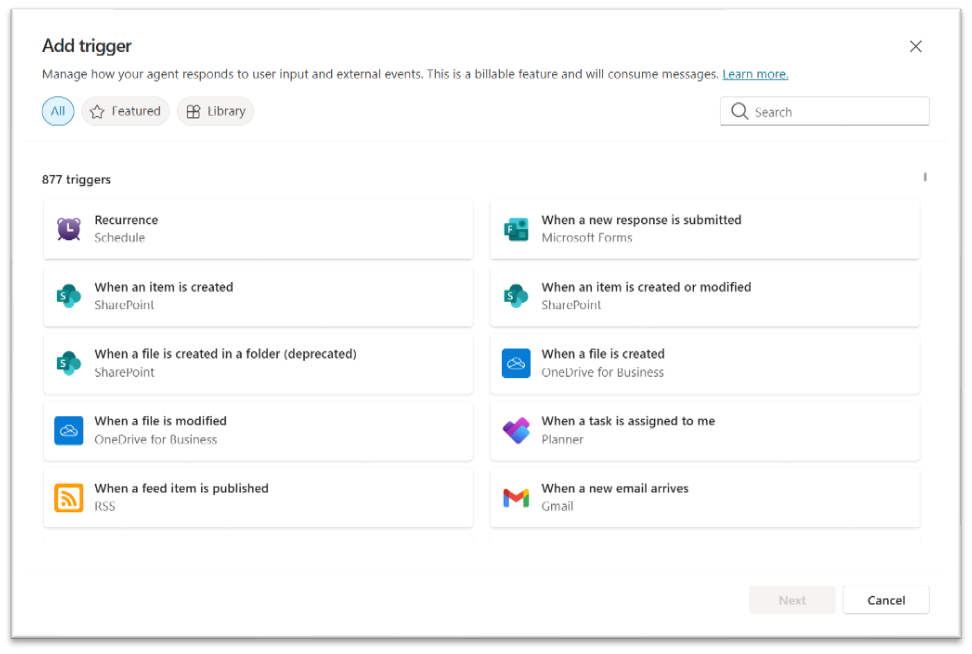
Agents can be activated by several trigger types, each supporting a different automation need:
- Data triggers that fire when records are created, updated, or deleted in systems like Dataverse or SharePoint.
- Event triggers tied to incoming signals such as an email received, a form submitted, or a status change in an external system.
- Scheduled triggers that run at defined intervals—hourly, daily, or custom cron patterns—ideal for periodic checks, maintenance tasks, or recurring updates.
- Webhook triggers that allow any external application to activate an agent by sending an HTTP request.
How Triggers Improve Operational Efficiency
Once configured, a trigger invokes the agent automatically, passing context such as the changed record, message payload, or event details. The agent can then perform tasks like analyzing content, updating data repositories, calling MCP tools, generating summaries, sending alerts, or orchestrating downstream systems.
Usage Examples
- When a new order record is created, the agent validates the order, checks inventory, and sends confirmation.
- When a flagged email arrives, the agent extracts key details and routes them to the security team.
- When a document is modified, the agent updates compliance logs or notifies auditors.
Triggers ensure agents respond with precision and consistency, making them indispensable for workflows requiring real-time actions such as incident response, finance approvals, compliance monitoring, and operational routing. By embedding triggers directly into Copilot Studio agents, organizations gain faster, more reliable automation across their entire system landscape.
Conclusion
In 2026, using Copilot Studio features like MCP Server for email, Component Collection for modularity, and automation triggers can boost productivity and efficiency. Incorporating these tools helps you meet modern workplace demands.